


Cadence - Event Experiences
3.79.00 Reviews
App Specs
- Version
- 2.7.442
- Updated On
- License
- Free
- Downloads
- 10,000+
- Developer
- Event Cadence, Inc.
- Categories
- Events
- Platform
- Android
Screenshots
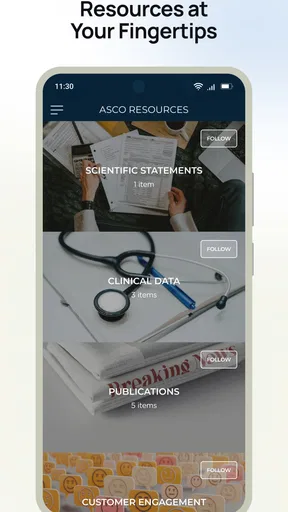
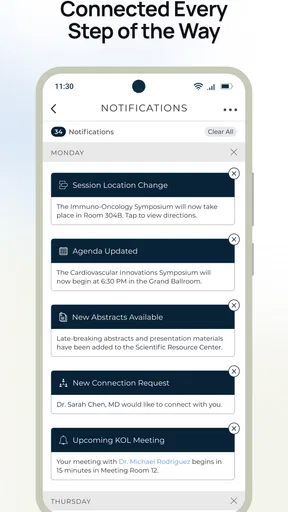
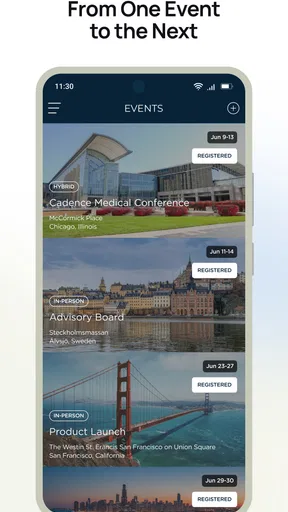
 Analysis by AppCompare
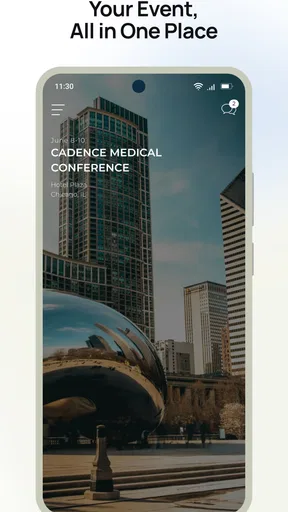
Cadence - Event Experiences is an events app from Event Cadence, Inc. that aims to keep the important parts of an event together instead of scattering them across email, printed schedules, browser tabs, and separate social channels. I found its appeal easy to understand during an initial setup: when an event already uses Cadence, the app can become a practical place to check what is happening, where it is happening, and what information matters at that moment.
That distinction is important. This is not an app I would install simply to browse a limitless public calendar. Its usefulness depends heavily on whether the event organizer has built a worthwhile experience inside it. When that condition is met, Cadence feels focused and timely. When it is not, there is little reason to keep opening it after the event has ended. My lasting impression is therefore mixed but clear: it can earn a temporary place on your phone for a well-organized event, while its long-term value depends on repeated participation in events that use the platform.
From an appealing first week to a harder long-term test
I find the first-week appeal of Cadence depends less on how often I open it than on whether it makes event information easier to act on. In this section, I look at the shift from that initial convenience to the more demanding question of whether an event series gives me a reason to keep returning. That longer view also brings the app’s practical limits into focus.
Why the first event can feel genuinely convenient
The first-week appeal comes from concentration. Event information is often fragmented: one message contains the address, another contains a schedule change, and a printed program has the details you actually need once you arrive. Cadence is designed around the opposite idea. Its store summary, “Everything You Need. Right Where You Need It.”, describes the intended experience well without needing to promise a general-purpose social network.
In practical use, I would reach for it before leaving home to orient myself, then again while moving through the event. That change in context matters. An event app does not need to entertain me for long periods; it needs to reduce small moments of uncertainty. If I am deciding which session or activity to attend next, a dedicated event hub is more useful than searching through old messages. If I am already on site, having the event’s information in one place can make the phone feel like a guide rather than another source of clutter.
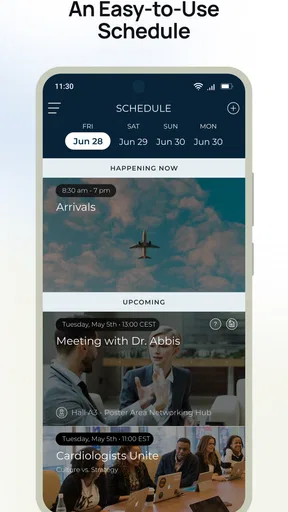
The app’s category is Events, and that focus gives it a sensible advantage over a normal calendar. A calendar can remind me that something begins at a certain time, but it rarely carries the surrounding experience. Cadence is better suited to the period before and during an organized occasion, when the schedule, location, and event-specific updates are connected. That is the first concrete reason I would use it instead of relying only on my phone’s built-in calendar.
There is also a useful behavioral benefit: I do not have to decide which message contains the latest relevant detail. Opening one event-focused app encourages a simple routine—check it before setting out, check it when plans change, and stop checking once the event is finished. That sounds modest, but reducing the number of places I must search is exactly where this kind of software can justify itself.
Worth Reading Before You Choose

EA SPORTS FC Mobile 26 Is a Bigger Football Game, but It Takes Time

Flipboard Shows What News Apps Must Do Beyond the Feed

Switching to Android Auto Means Rethinking Your Driving Routine

Google Calendar Makes a Crowded Week Easier to Manage

Ludo King Makes the Most of the Minutes Between Plans

Baby Panda World Brings Quick Play to Modern Phones, but Its Game Library Feels Busy
A realistic everyday scenario
Imagine attending a multi-part community event on a busy Saturday. In the morning, I use Cadence to review the day and choose what I want to attend. On the way there, I reopen it because the original email is buried under unrelated messages. Once I arrive, I use the event information as a reference rather than repeatedly asking another attendee what comes next. Later, if I decide to leave one activity early, I can return to the same event space and make a different choice.
That workflow shows both the strength and the boundary of the product. Cadence is valuable when I am already connected to a particular event. It is not necessarily a replacement for a broad calendar, maps, messaging, or ticketing tools. I would still keep those familiar tools available for transport, personal reminders, and communication outside the event itself. The app works best as a focused layer on top of those everyday utilities.
What the early experience does not solve
The first installation can create a moment of friction if I am expecting an app with immediate content. The store short description is simply “Cadence,” which tells me the product name but not much about what I should do before an organizer gives me access to an event experience. That makes the surrounding invitation or event communication especially important. A person discovering the app without a relevant event may not understand its purpose quickly enough to form a habit.
I also would not judge the app solely by its first few minutes. Event tools are unusual because their quality is partly visible only when the event is active. A clean opening screen is helpful, but the real test is whether the information remains useful when I am rushed, distracted, or trying to make a decision. Cadence earns its place through that practical moment, not through novelty alone.
Where month-to-month value can appear
For people who attend recurring events, the case becomes stronger. If the same organization uses Cadence repeatedly, I can imagine it becoming a familiar checkpoint rather than a one-time download. The benefit is not that I spend more time inside the app; it is that I spend less time reconstructing event details from scattered sources. That is a healthier kind of engagement for an events product.
The month-to-month value also depends on the quality of the event organizers’ updates. A dedicated app can be more useful than a static webpage when information changes close to the start time, but only if the event experience is maintained. If every edition feels current and the details are arranged sensibly, Cadence can support a recurring routine. If each event requires me to relearn where information is located, the advantage over email or a normal website becomes much smaller.
My advice is to treat Cadence as a companion for an event series, not as a universal personal organizer. I would keep it installed while I have several upcoming occasions tied to it. For a single annual event, I would probably use it during the active period and then decide whether it has earned a return later. That approach avoids confusing temporary usefulness with permanent value.
The app is free, which lowers the cost of trying it for a specific event. That matters because the decision is less about committing money and more about committing attention and storage. A free event app can still be inconvenient if it duplicates information badly, but there is no purchase barrier preventing me from testing whether a particular organizer has used it effectively.
How it compares with the usual alternatives
The most common alternative is email. Email wins when I need a searchable record, when the event organizer sends only a few important messages, or when I do not want another application. Cadence wins when the event contains enough moving parts that a dedicated presentation is easier to scan. I see it as a better front door for active event information, while email remains a better archive for confirmations and conversations.
A website can be equally good for occasional visitors, especially when I do not want to install anything. Cadence has a more natural role when I expect to revisit event information from a phone throughout the day. The trade-off is that an app creates an additional step before I can see anything. For a small event with one location and one schedule, a webpage may be simpler. For a richer event experience, the dedicated format is more defensible.
My phone’s calendar is still better for personal time management. I can see the rest of my day there and protect against clashes with appointments. Cadence is better at preserving the event’s own context. The smart workflow is to use each for what it does best: calendar for personal commitments, Cadence for event-specific reference, and ordinary communication tools for questions that require a reply.
The maintenance burden after the novelty fades
The maintenance burden is not primarily about complicated daily upkeep. It is about remembering why the app is installed and deciding whether it still serves an active purpose. Because Cadence is tied to events, the app may be highly useful for a short period and nearly irrelevant afterward. That is not automatically a flaw, but it means I would not expect constant value in the way I do from messaging, maps, or a general calendar.
My practical rule would be simple: keep it while I have an upcoming or recurring event connected to it, and remove it when that connection ends unless another event is likely soon. This is one of the few cases where uninstalling after an event is not a sign that the app failed. A temporary tool can still be successful if it made the event easier to navigate. The problem appears only when the app encourages me to keep it indefinitely without giving me a reason to return.
The current version is 2.7.442, and the app supports Android 7.0 and later. That makes it accessible to people using older Android devices, which is useful in event settings where attendees may not all have recent phones. I would still pay attention to how comfortably it runs on my particular device and whether the event experience loads smoothly when I need it, because an event app has little tolerance for delays at the entrance or between sessions.
Cadence is rated for Everyone, so its intended audience is broad. That does not mean every event experience will be equally easy for every attendee. Organizers still need to present information clearly, and users may need to adjust their expectations if the app is being used as a companion rather than a complete replacement for every other event tool. The age rating tells me the app is broadly approachable; it does not remove the need for good event design.
Where fatigue starts to appear
The biggest source of fatigue is repetition without fresh value. If I open the app and find the same information I already have in an email or on a sign, I will stop checking it. An event app needs to earn repeated visits by making the current situation easier to understand. Static information can be useful once, but it is less convincing as a reason to return throughout a series of events.
Another possible frustration is dependence on organizer discipline. Cadence may provide the container, but the content has to be accurate, timely, and arranged for real-world use. If an update arrives late or an important detail is difficult to locate, I will blame the overall experience even if the underlying application is stable. This is a crucial trade-off: a dedicated platform can improve organization, but it also makes weak event management more visible.
I would also skip it if I only need a basic reminder. Adding an event to my existing calendar is faster and keeps my schedule alongside everything else. Likewise, if an organizer already offers a well-designed mobile website and sends concise updates, installing a separate app may not provide enough extra value. Cadence makes more sense when the event is substantial, recurring, or information-heavy.
For organizers, the same issue works in reverse. The platform is most convincing when the event team treats it as an active information channel rather than a box to tick. For attendees, that means the app’s usefulness can vary from one event to another. I would not assume that a good experience at one event guarantees the same result at the next; I would judge each event by how clearly and consistently it uses the app.
Who should give it a place on the phone?
I would recommend Cadence to attendees who regularly join organized events that use the platform, particularly when schedules or event details are extensive enough to become awkward in email. It is also a reasonable choice for someone who prefers a dedicated event reference and does not mind installing a free companion app for a specific occasion.
I would be more cautious for people who attend only small, simple gatherings. If the entire occasion can be explained in one message, Cadence may feel like an unnecessary layer. I would also suggest skipping it if you want a single app to manage all personal appointments, travel planning, and communication. Its value is narrower and more situational than that.
One non-obvious tip is to decide in advance what job the app has in your routine. I would not use it as my only reminder. Instead, I would place the event in my normal calendar, then use Cadence for the details that may change or that I need while participating. This two-tool approach prevents a missed event while preserving the dedicated app’s main advantage.
A second useful habit is to check the event information before leaving, not only after arriving. That gives me time to notice whether I need another tool for directions, timing, or personal planning. A third is to reassess the app after the event rather than letting it become permanent phone clutter. These small decisions make the product feel intentional instead of disposable or intrusive.
My long-term verdict
Cadence - Event Experiences earns lasting space only when it is connected to a continuing stream of well-maintained events. In that situation, its focused design can save time and reduce the familiar irritation of hunting through messages for the next relevant detail. Its free price and Everyone rating make it easy to try, while support for Android 7.0 and later keeps the entry requirement relatively broad.
Still, I would not recommend keeping it installed purely on speculation. With an average rating of 3.7 from around forty ratings and roughly ten thousand installs, it has a modest public footprint rather than the broad visibility of a universal calendar or communication platform. Those figures do not decide my experience, but they reinforce my view that Cadence is a specialized tool whose success depends on the event around it.
My final judgment is favorable but conditional. I would install it when an organizer I trust uses it for a meaningful event, and I would give it a fair chance during the active schedule. I would not replace my calendar, email, or maps with it, and I would remove it when the event relationship ends. Cadence is most successful when it becomes a reliable event checkpoint, not another app demanding permanent attention. For the right event, that is enough to make it worthwhile; for a simple gathering, the usual alternatives will probably remain easier.
Pros
- Clean interface makes discovering and saving events quick.
- Useful event details help users plan experiences with confidence.
- Personalized recommendations can surface activities matching your interests.
- Convenient access to event updates helps keep plans organized.
- Supports discovering local experiences beyond mainstream listings.
Cons
- Event availability may vary significantly by location.
- Some listings may redirect you to external booking pages.
- Recommendations can feel limited until enough preferences are provided.
- Ticket prices and extra fees may not always be immediately apparent.
- The app is less useful in areas with few listed experiences.
FAQs for Cadence - Event Experiences
What is Cadence - Event Experiences used for?
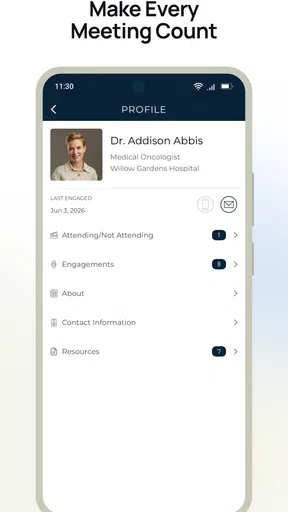
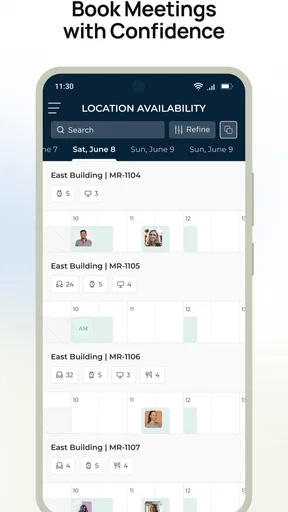
Cadence - Event Experiences is an event companion app designed to help attendees access information and participate in organized experiences. Depending on the event, it may provide schedules, session details, venue information, announcements, networking features, interactive activities, and other digital content. The exact tools available can vary because event organizers configure the app for their specific conference, festival, meeting, or experience.
Do I need an invitation or event code to use Cadence?
In many cases, access to Cadence depends on being registered for a supported event or receiving an invitation from the organizer. You may be asked to enter an event code, use a registration email, or sign in through an organization-provided account. Downloading the app alone may not unlock any content, so check your event confirmation or contact the organizer if you are unsure how to join.
Can I use Cadence - Event Experiences without an internet connection?
Cadence may allow some previously loaded information, such as schedules or basic event details, to remain available when your connection is limited. However, features like live updates, messaging, check-ins, polls, maps, networking, and synchronized event content generally require internet access. For the best experience, open the app before arriving and connect to reliable Wi-Fi or mobile data when possible.
What personal information does Cadence require?
The information requested can differ according to the event and the organizer’s setup. You may need to provide details such as your name, email address, registration information, profile preferences, or professional details for networking. Some features may also use notifications, camera access, location, or contacts if enabled. Review the app’s permissions and privacy policy before sharing optional information.
Is Cadence - Event Experiences free to download and use?
The app may be available to download at no direct cost, but access to its event content is usually connected to a specific organizer, registration, ticket, or invitation. Some events can involve separate fees that are handled outside the app, while others provide access as part of attendance. Before downloading, confirm the event’s official instructions to understand whether any payment or registration is required.


